Grab · 2024
Order manager for restaurant cashiers
Helping cashiers stay on top of orders during peak hours — and giving Grab a signal to dispatch drivers on time.
Role
Sole designer and researcher on the GrabMerchant team
Team
1 PM, 2 data scientists, 5 engineers
Duration
2 months for initial release, followed by a series of experiments
Impact
11% decrease in delayed orders
Background
Q4 '23 saw a spike in delayed orders on GrabFood. Late deliveries weren't just bad UX — they were costing us customers and merchants.

Research
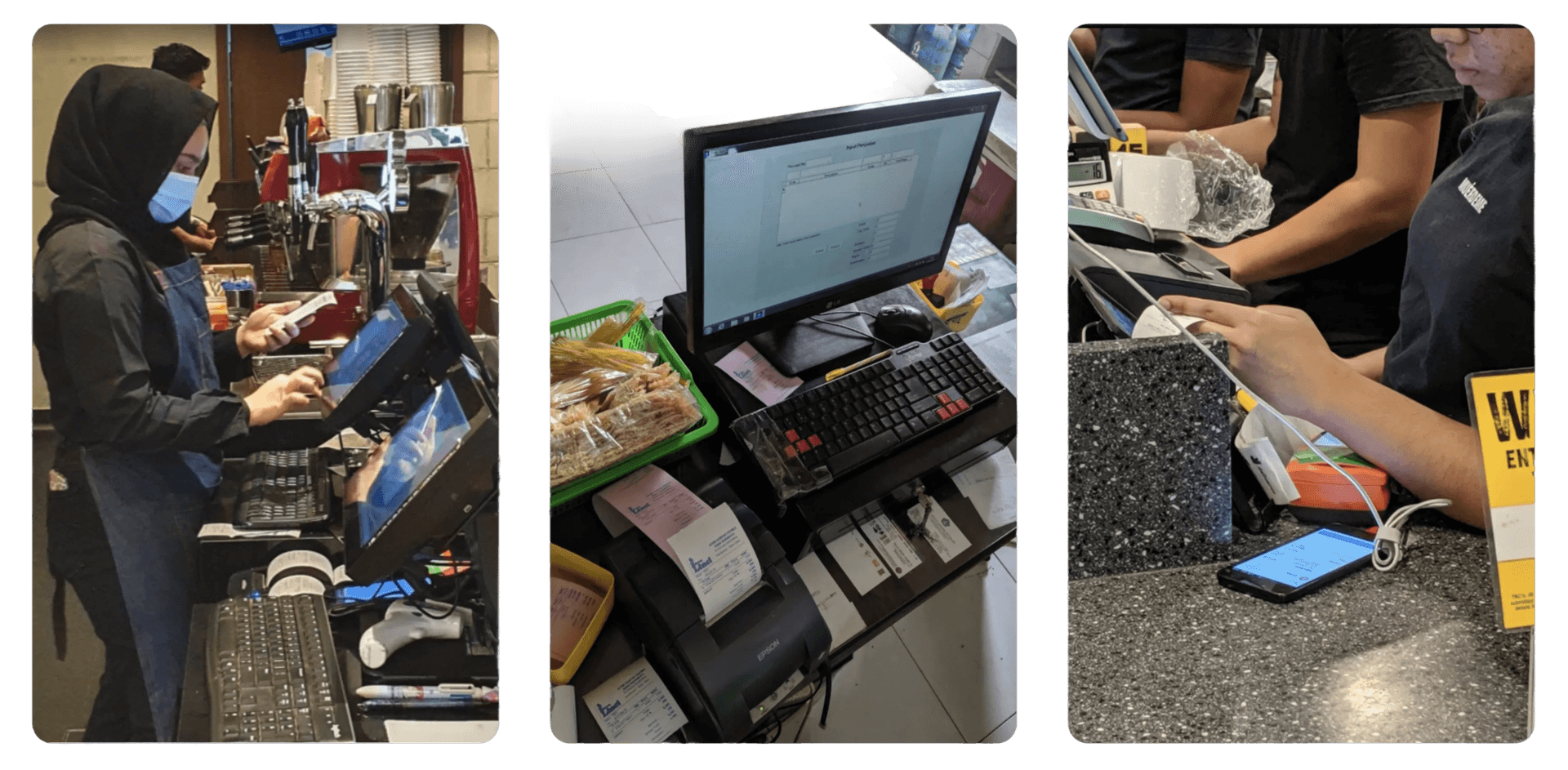
Past field work — shadowing and interviewing 12 restaurant staff across Jakarta and Singapore — gave us a clear picture of the cashier's day.
Two observations stood out
- Cashiers need to track order status frequently — moving each order through New → Preparing → Ready → Done.
- Cashiers are busy and work in chaotic environments. The phone is rarely in their hand; they glance at it from across the counter while juggling other tasks.
Solution
Redesigning the order card
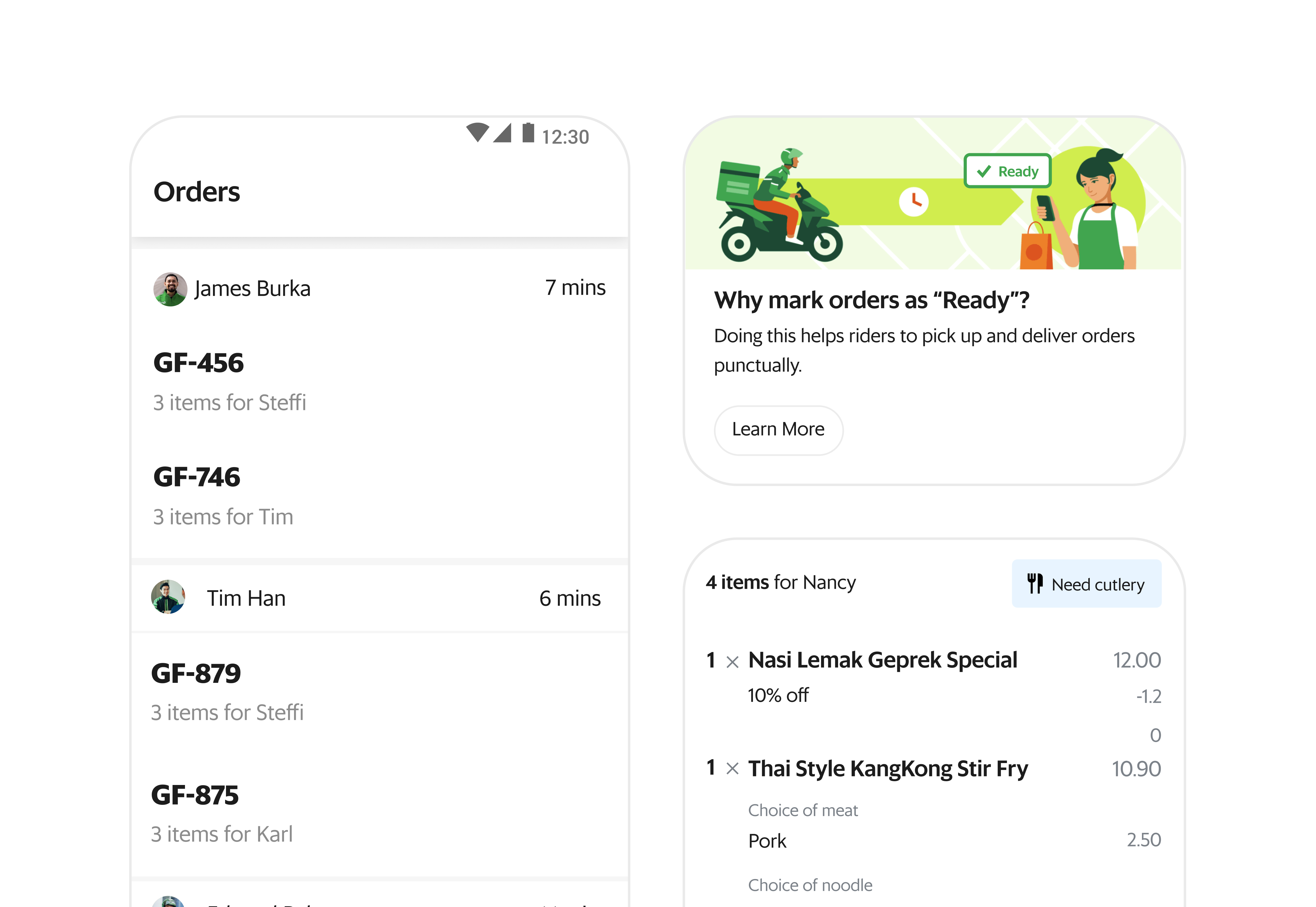
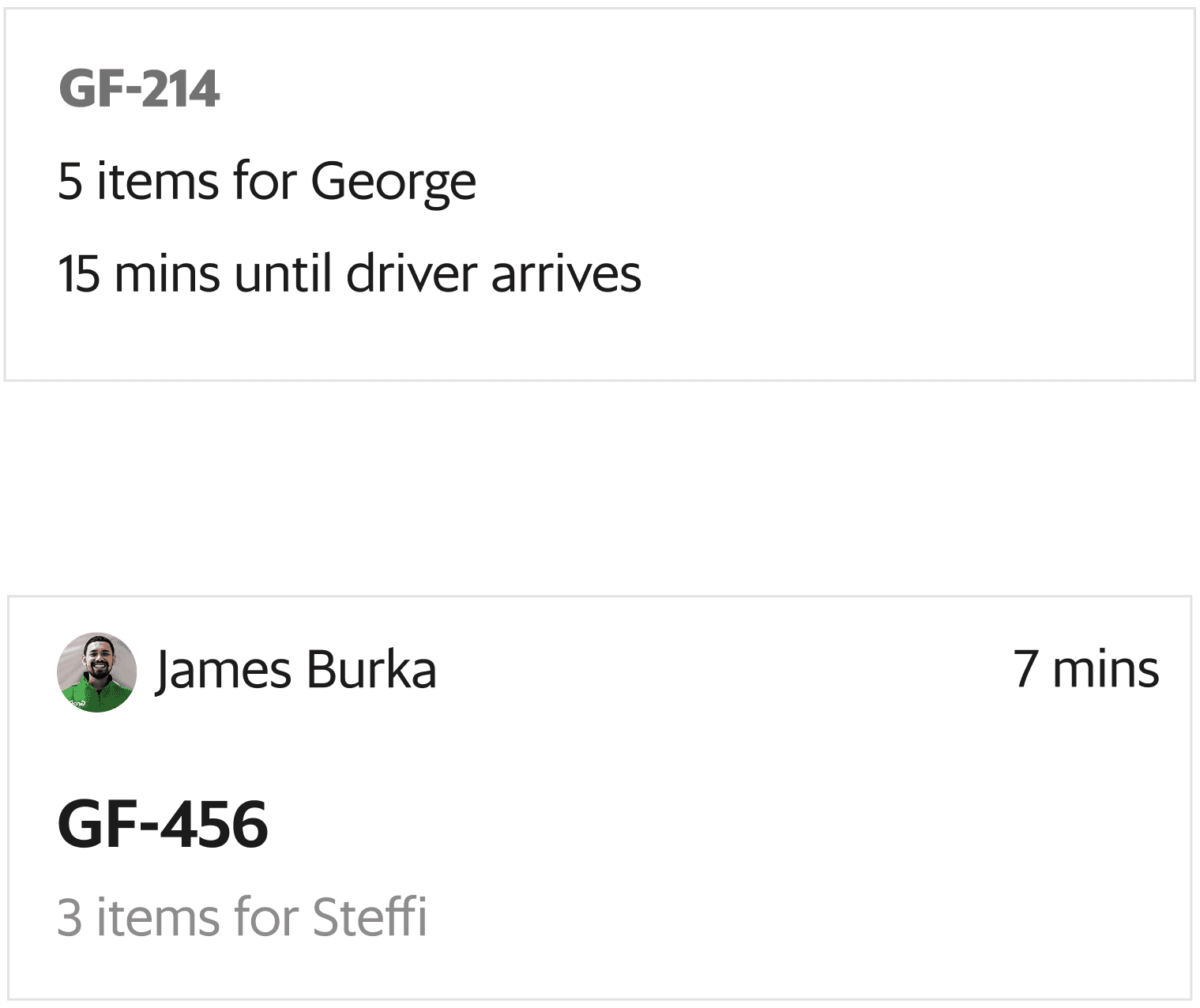
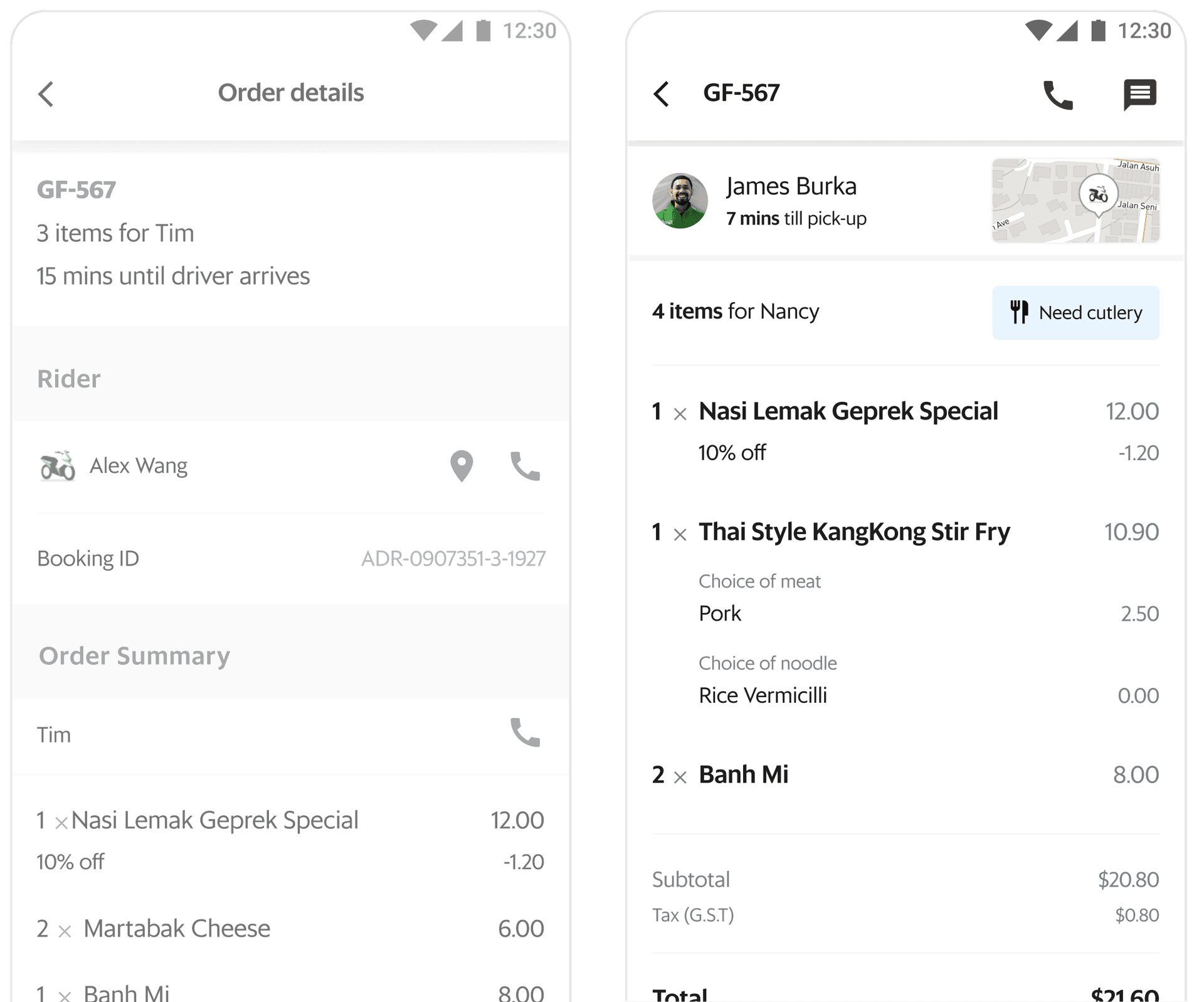
The old card buried the order ID, missed driver info, and showed each batched order as a separate row. The redesign promotes the order number, surfaces rider status, and groups batched orders under the same rider for error-free handovers.
Redesigning order details
The old details page repeated information already on the order card, buried items at the bottom, and showed irrelevant fields prominently. The new layout leads with order items, condenses the driver card, and groups all order-related actions in one place.
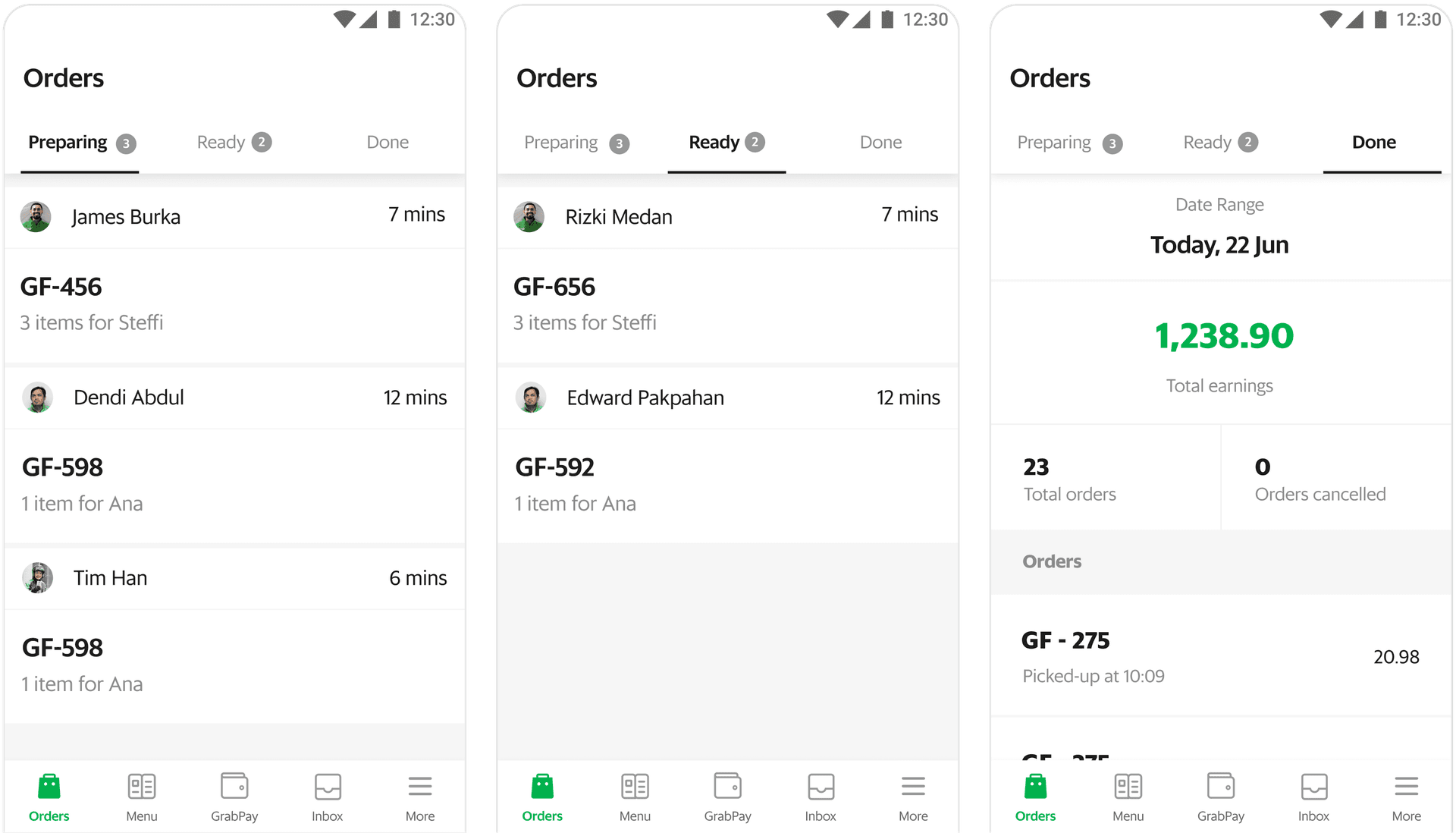
Tabs were the right call
Preparing, Ready, and Done as top-level tabs. Each tab has a clear job: Preparing focuses on what's in the kitchen, Ready makes hand-off fast, Done lets cashiers track restaurant performance during slow periods. This was the one we shipped.
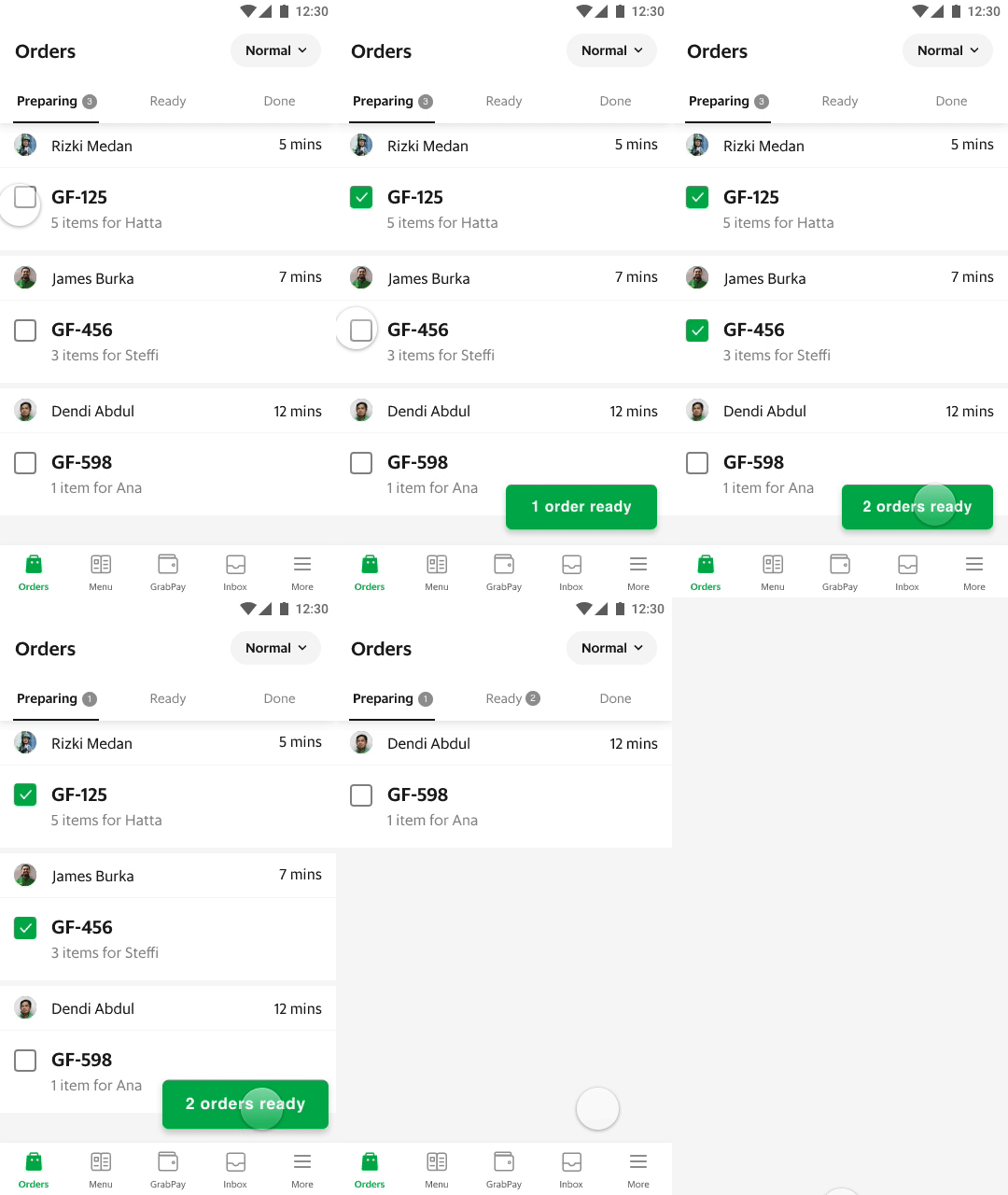
Marking orders as Ready
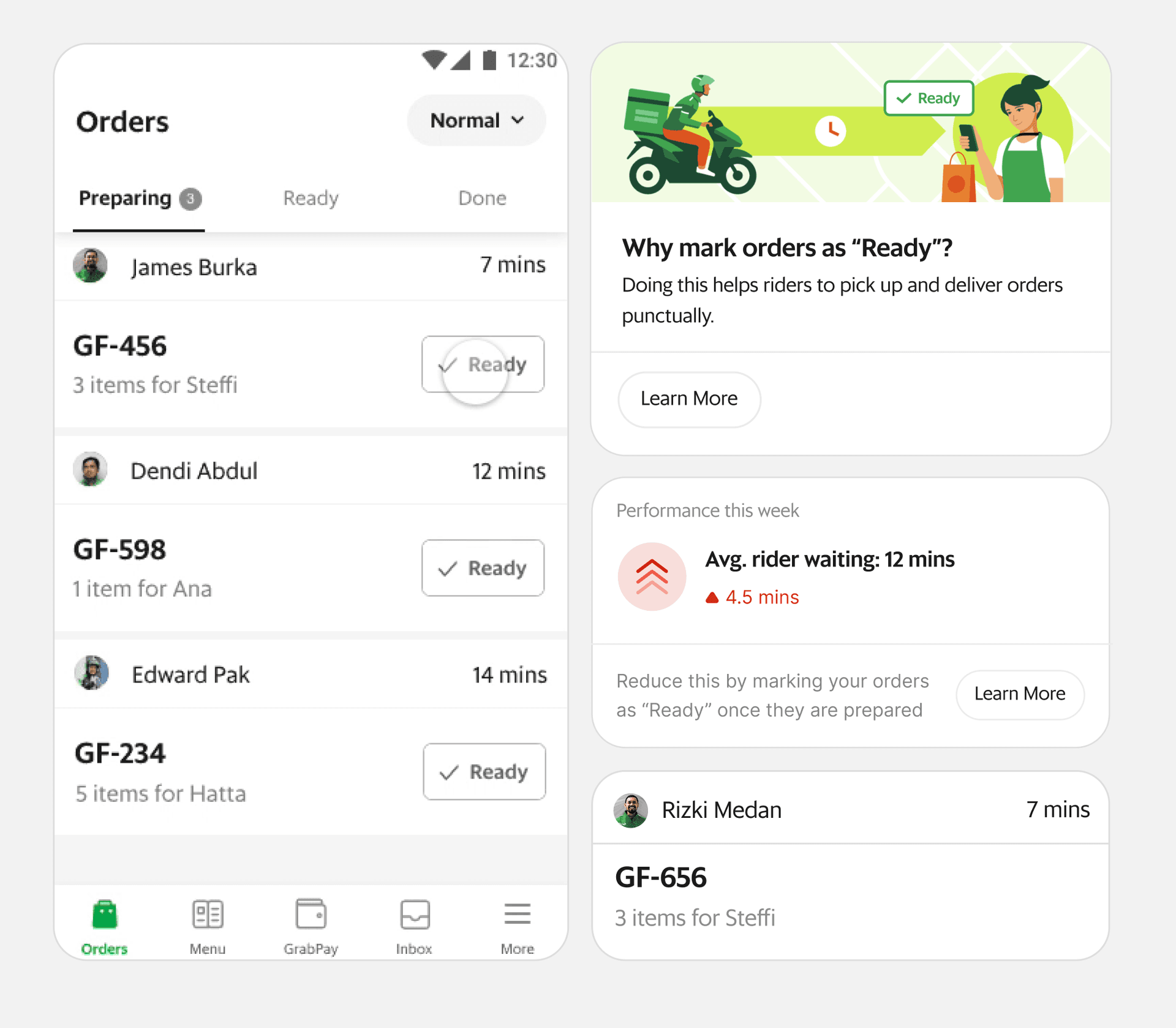
Two ways to do it: select multiple orders at once, or mark each order individually.
Option 1: Batched orders
Even though this option offered speed, the clarity was poor and left users confused during usability testing.
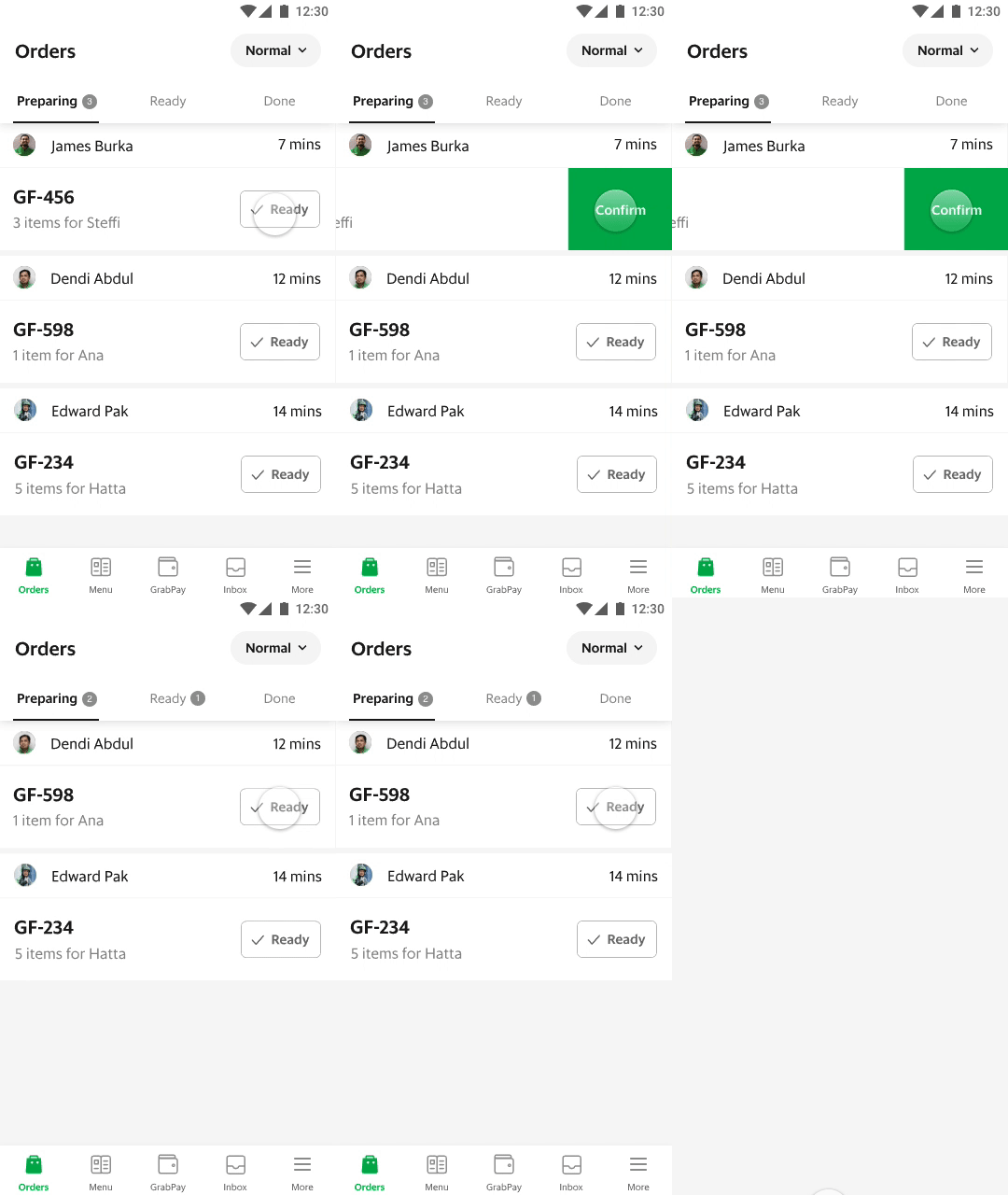
Option 2: Individual orders
We settled on this option — it offered the most clarity during user testing.
First experiment
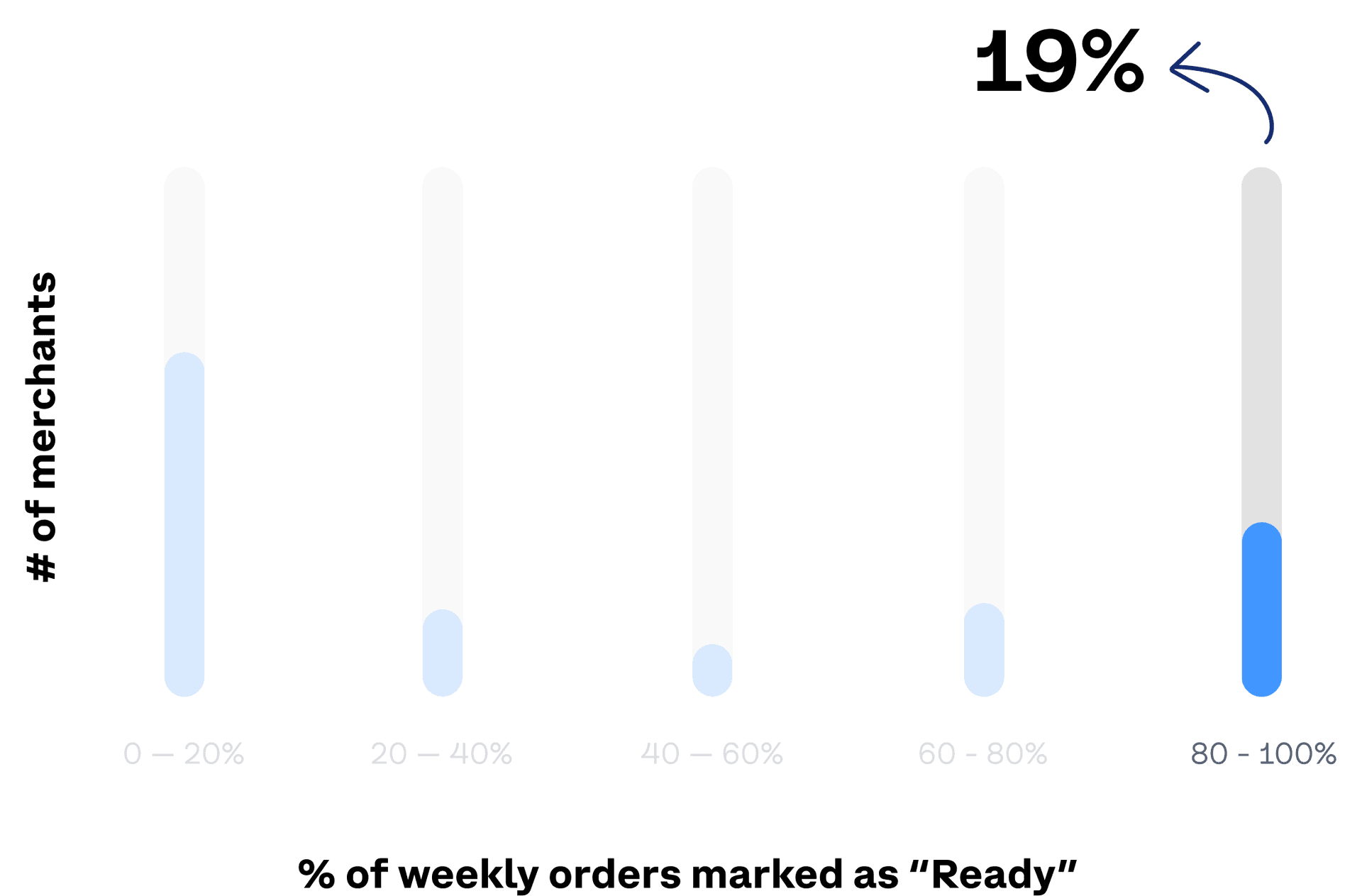
We launched to 10% of merchants. Adoption was promising at the high end of the distribution, but most merchants were still in the 0–20% bucket. We needed adoption to climb before the algorithm signal would be useful.
Optimise for speed, not accidental taps
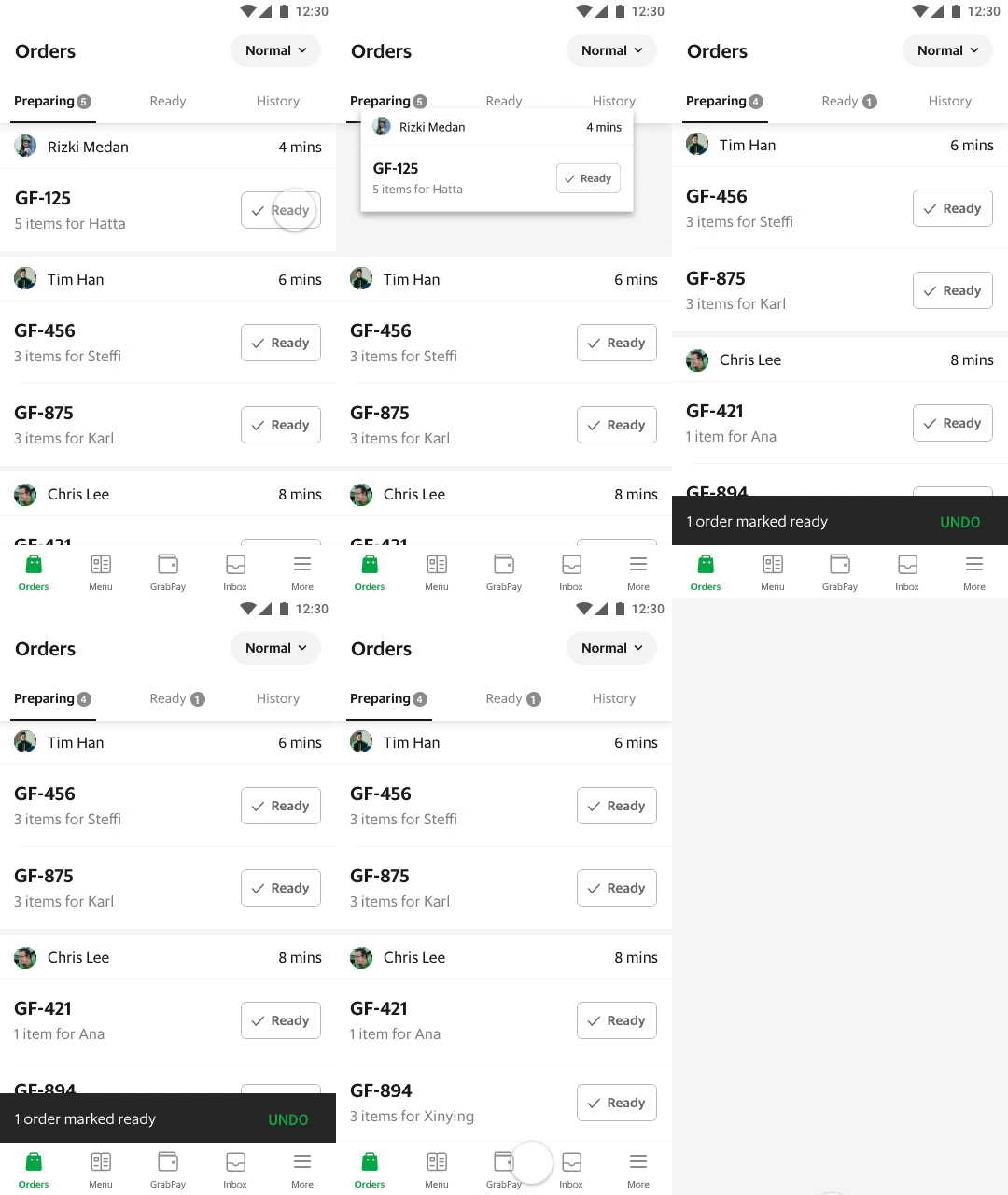
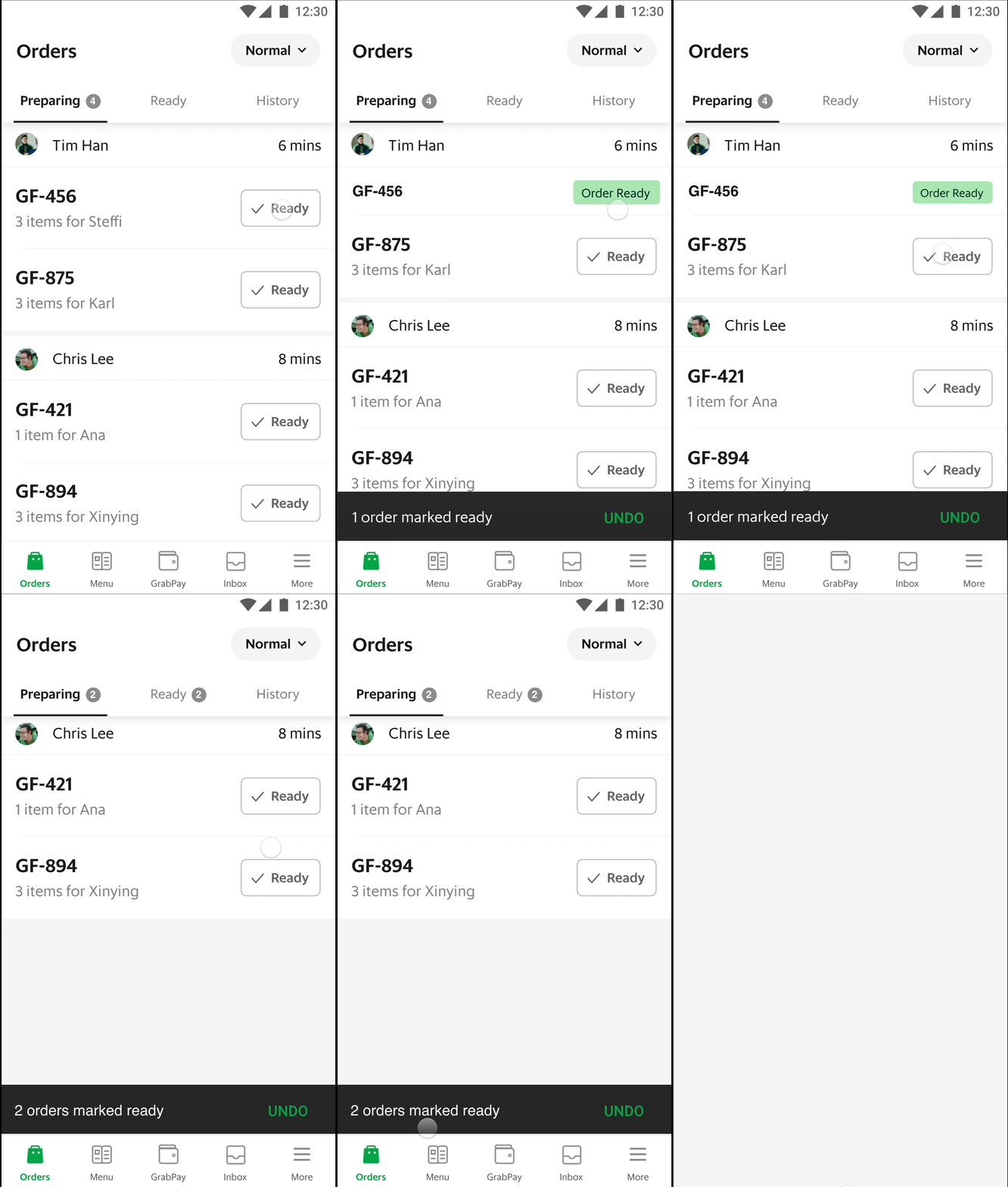
I redesigned the interaction so a single firm tap on a Ready order felt deliberate and confirmed in one motion — no extra Confirm step, but also no easy mis-taps when a phone got knocked at a busy counter.
How we know it worked
After education and the redesigned interaction, the % of weekly orders marked Ready climbed from the high teens to 34% — well into useful territory for the allocation algorithm.
11%
decrease in delayed orders
4%
drop in complaints about wrong handovers
34%
of weekly orders now marked Ready